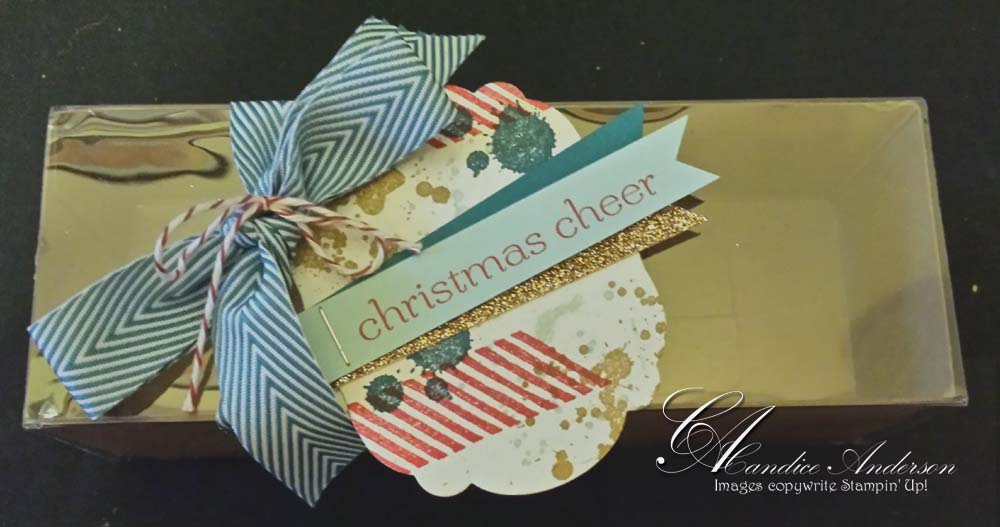
Project Life is coming to Stampin’ Up!

Awesome News from Stampin’ Up!  I’m so excited about this.  I hope all of you will be too!

Introducing Project Life

April 15, 2014

We are so so so excited to let you know we’ve partnered with the amazing Becky Higgins to bring you the real deal-authentic Project Life products, now in exclusive Stampin’ Up! colors and designs. If you’ve somehow missed the Project Life craze and are wondering what it’s all about, we’ll fill you in: it’s a super simple, totally affordable way to get your photos into albums: you just slip your photos into Photo Pocket Pages and add designed cards. It’s a back-to-basics approach to documenting your life. In a nutshell, it’s all about spending more time making memories and less time scrapbooking them.

You  will be able to order that a selection of products starting May 1. And with the launch of our new annual catalog on June 2, you’ll be able to buy from our complete line of Project Life products!

Click here to read Stampin’ Up!’s blog post and learn more.


Tag SignatureOrder online 24/7
Contact me to order or book your party today!
435-245-5321 Home
435-232-2655 Cell (Text)
andersoncandice@hotmail.com

MDS Books make great gifts

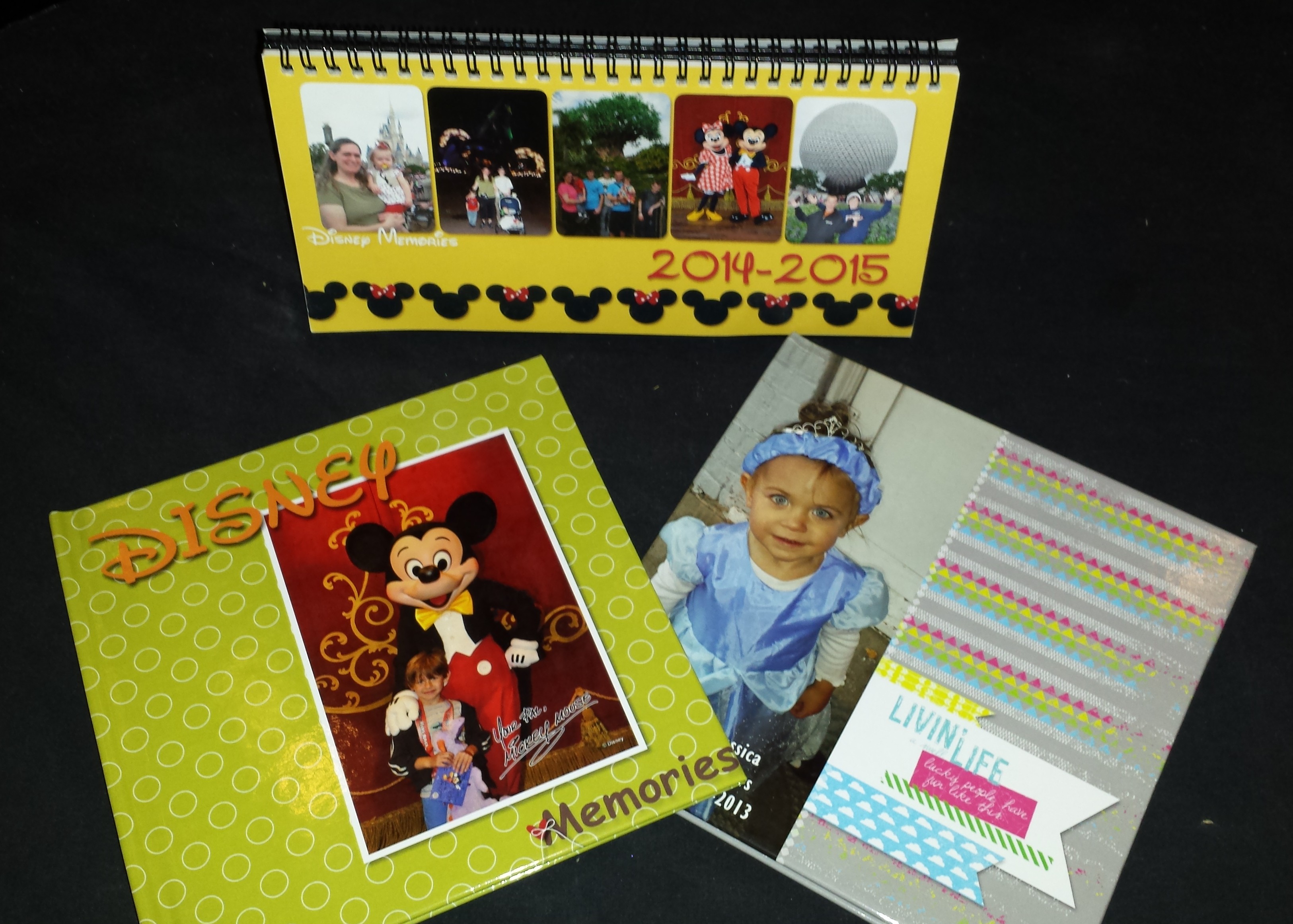
I love that “My Digital Studio” (MDS) helped me to create wonderful Christmas gifts this year that would bring back lasting memories.

MDS Christmas Gifts 2013

I decided this year to create a special gift for my little ones.    They love to read and so I wanted them to be able to read a story all about them.  I created a book for my son about his special memories on our trip to Disney World last year.  I put special pictures in of him and memories.  He love to look at it and I think he know how much I love him.  He’s become a pretty good reader in the last year (he’s 6), but I still kept the text simple so he could read it all by himself.

I also wanted to create one for my daughter.  I made one last year for her birthday of her first year so I wanted to make her second year for her.  It had lots of fun pictures of things she did when she was one.  I broke it up into months to make it easy to create.  She loves it of course.  She loves to look at pictures of people she knows, especially herself.  Since I have now created a book for both her 1st and 2nd year my kids asked me if I was going to make one every year.  While I don’t know for sure I said probably just because MDS make is so easy to do.

What made both of these projects super simple is the fact that I used some of the awesome templates that Stampin’ Up! already had created.  That way I added pictures and text and I was done.  I love how easy they are and that I can change them to fit my needs.  Sometimes I add a few more embellishments, picture boxes or text.  I even re-arrange the pages to fit my needs.  However these templates still save me lots of time as I created both books in just a few hours.

I also created fun calenders for my husband, parents and in-laws.  I love our calender options and how the calendar program works.  It’s so easy to add a calender to any project.  I made my calenders double sided so one side is 2014 and the other is 2015.  I created the one first then copied it for the back side.  All I had to do was go into the calender settings and change the year.  Of course I changed out the pictures as well, but it made it super simple to create.  Everyone loved them.  It’s so fun to go to my husbands office and see the calender there for everyone to enjoy.

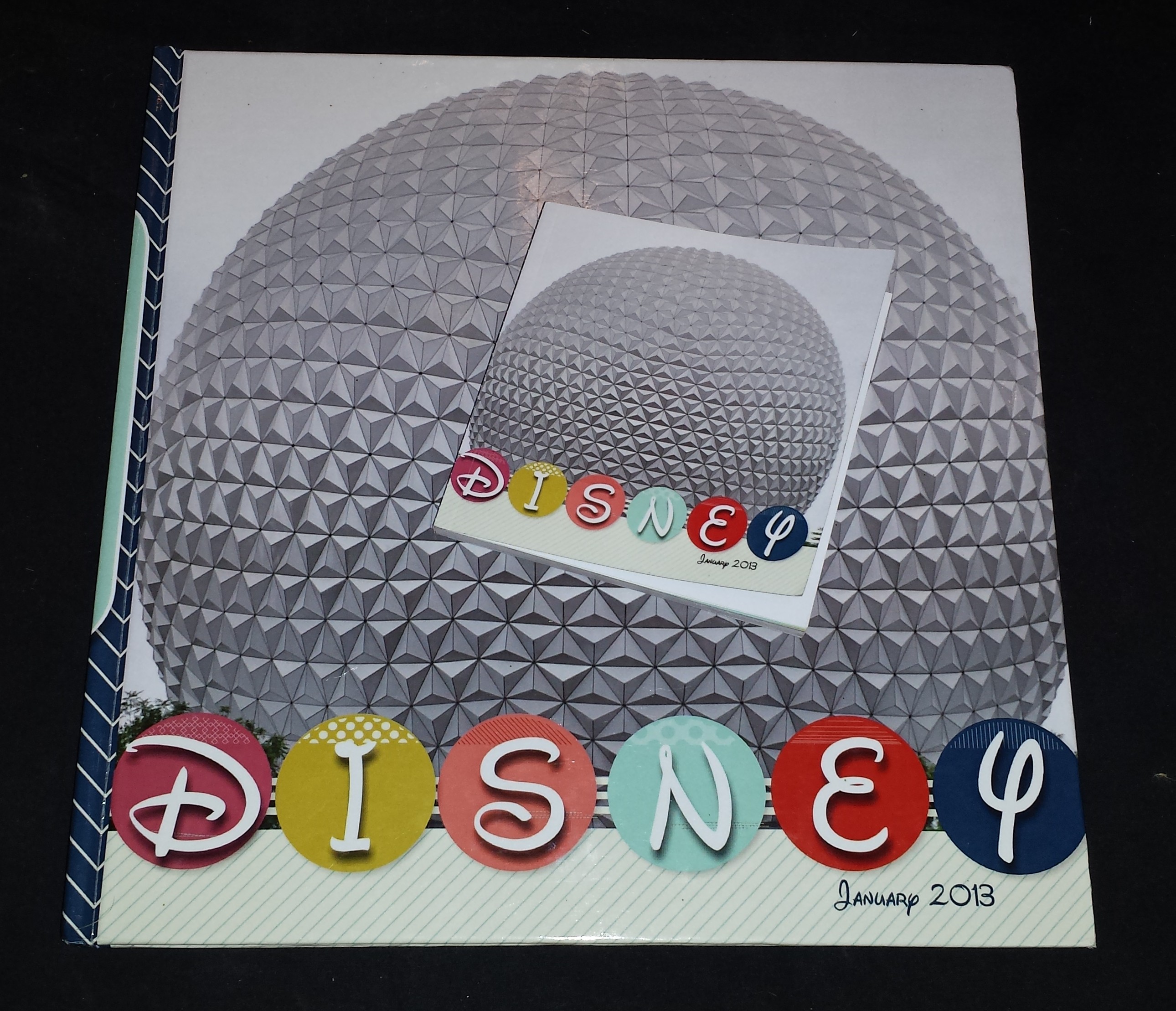
Disney Albums 2013

The last project I wanted to share with you in my Disney book.  While this book did take me a bit longer to create it was still a lot less time then if I had created it by hand.  Plus I saved tons of money.  The book is 100 pages including the front and back cover which is the max that you can have printed with Stampin’ Up!  However it has over 500 pictures in it.  I started with one of  the kits and then just kept adding pages.  Many times I would bring in a page layout that I liked from another kit and then just change the background and elements so they matched.  I love that all the pages have the same feel to them.  My daughter loves to look at this book.  I printed it in the 12 x 12 so it’s kind of hard for her and I don’t want her bending the pages.  So for Christmas I decided to have the book printed in a 5 x 5 which would be easy for her to hand and look at.  The best part is I didn’t have to change anything.  I originally designed the book in a 12 x 12 but all I had to do was change the print option when I went to print it.

Open Disney Album 2013

So here’s your tip for the day.  I always design in 12 x 12 and then decide later what size I want to print it in.  My computer screen roughly show the 8 x 8 size based on the size of the screen and I’ve found that if it looks good on there then it looks good printed in any of the sizes.

I am still totally in love with MDS.  I’ve gotten more scrap-booking done since I switched to digital then I ever did before.  Completed books instead of just pages which I totally love.  If you haven’t tried it yet you really should.  We have a free trial and the program is only 19.95.  It was a lot more and I paid the higher price and it was worth every penny.  We sold so many that the manufactures were able to reduce the price and Stampin’ Up! passed the savings on to you.  I hope you will take the chance to try this program or use it if you have it.  Remember if you have the old version to go and get the updates and it will update it for free.

If you want to learn more I teach a class once a month that held on-line or I would be happy to come and do a live presentation for you and your friends, or a special on-line party just for you.  Just let me know.lub.

Tag SignatureOrder online 24/7
Contact me to order or book your party today!
435-245-5321 Home
435-232-2655 Cell (Text)
andersoncandice@hotmail.com
Products used:

MDS Products:
My Digital Studio
Disk #130647 $19.95
Download #130646 $19.95
Free Trial #130910 $0

Downloads:
Family Fun Photobook Template #130987 $17.95  (Disney Book)

Nobody’s Business Photobook Template #132812 $19.95 (My Daughters Book)

Hoppy Memories Digital Kit #118466 $14.95 (My Son’s Book)
Just a note on this book it was per-designed it came with my original MDS program that I bought years ago.  The new one doesn’t come with the per-designed book.


Hybrid MDS Project

I’ve enjoyed sharing MDS with so many of you during my free classes.  While I was talking to them about this wonderful program I mentioned how easy it to create Hybrid projects.  A Hybrid Project is where part of your project is created Digitaly and the other is created traditionally.  I was telling them about one of the projects the I created last year for the Stampin’ Up! Artisan design contest.  This was one of my favorite projects.  It’s a 12 x 12 scrapbook page.  One of the pictures that I used was the Birth announcement that I created in “My Digital Studio.”  I just printed it out larger to put it on the page.

Love Page


I love all the detail I was able to add to the page and how the MDS is the only color that I added to the page.  It’s hard to tell in the picture, but the whole thing sparkles and shimmers.  It’s was actually created as more of a show piece then one that would go in a scrapbook since it has so many layers.  I just re-created it (finally) so that I could hang it up in my daughters room that we just finished painting.  I put it in one of those 12 x 12 frames and it looks so cute.  Just so you know a few of the items are retired now as it was created last year.

MDS is such a great tool you can use to enhance your traditional scrapbook as well as creating all Digital projects.  I hope that you will join me from one of my future classes.  You can down-load the free MDS trial from my website or better yet just buy the program for the new low cost of just $19.95.

If you have any questions let me know.

4-April

MDS Free Training

Just a quick reminder about my free Digital Training.  If you don’t have the program already they just lowered the price.  You can now get this fabulous program for just $19.95 loaded with tons of digital content.  See below for more details and how to order.

Here are the links to get signed up.

Session 3 Tues: 4-9 & 4-16 at 1:00 PM

Session 4 Tues: 4-9 & 4-16 at 6:30 PM

Session 5 Tues: 5-7 & 5-14 at 1:00 PM

Session 6 Tues: 5-7 & 5-14 at 6:30 PM

If you can’t make one of these I plan on doing one every month for the next little while so watch for more dates to come.

Remember these are all a two week course.  Pick which session you want.  When you register it will register you for both days of the course.  This course is on-line.  You will participate from your home computer.  Just click on the session you want and it will take you to the registration page.  You will need internet access to participate.

In order to do the homework you will need to down-load MDS “My Digital studio.” You can down-load the free trial (If you haven’t already) or you can down-load the complete program on my website for the new low price of just $19.95.  This includes over $500 worth of digital content (was called MDS2+.)  If you have the original program from several years ago you can up-date for free.  If you want the additional content you will need to order the program for the $19.95.  Please contact me if you have any questions.  Click here to order.   Click on the shop now button, then MDS is located towards the bottom on the left hand side.  You can down-load the full program for the $19.95 or the free trial. Either will work for the class.

FREE gift just for attending.  I will be giving you a free down-load just for attending and completing the course.  This will including participating in the live on-line course, doing the small amount of homework (creating a project) and completing the survey at the end of the course.  Get in for the drawing for a free down-load by registering by April 7th for Session 3 or 4 and May 1st for Session 5 or 6.

I will e-mail you the course outline after you have registered.  Register early as space may fill up quickly.  Registration will close 3 hours prior to the start of the class.  Register today to insure your spot.

MORE TRAINING- If you want to learn more you can join my Digital Club.  It’s held the 2nd Thursday of each month (third in Aug, Sept & Dec.)  Contact me for more details.  (NOTE if you are in my MDS club already be sure to sign up for this training.  I will be going over the basics here and won’t be repeating them in club.  This way we can get to the really fun stuff in club.)

I will also do demonstrations in your home with you and your friends. Contact me for all the details.

If you have any questions please feel free to contact me.
e-mail:  andersoncandice@hotmail.com
Home: 435-245-5321
Cell: 435-232-2655

I love “My Digital Studio”!

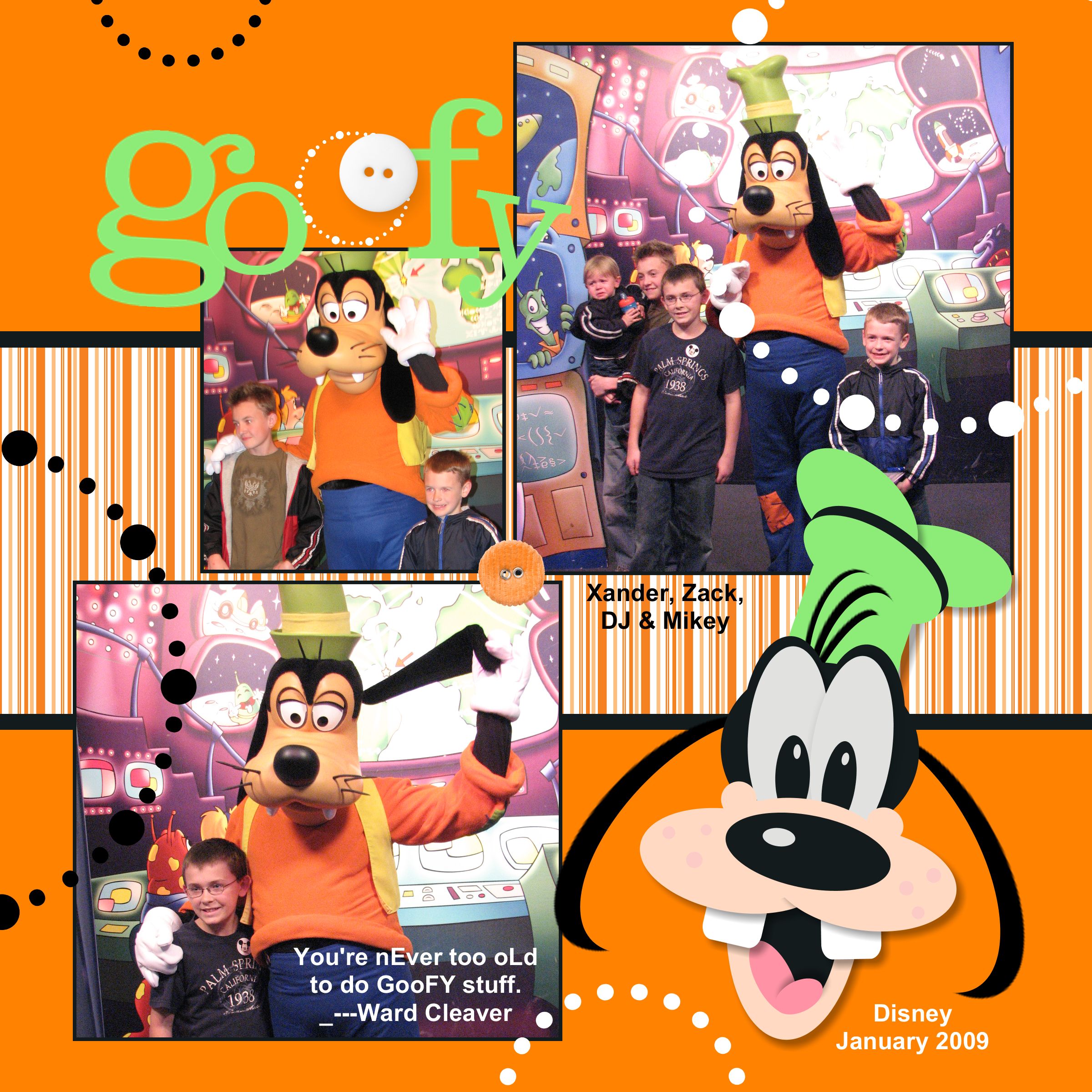
I just love this program.  It’s so easy to use and I have so much fun creating with it.   Here’s a fun page I created using just the basic program.  I used the punches to create Goofy just like I did on my card in real life.

Just a quick reminder now you can try it out for FREE.  It’s simple; add the free My Digital Studio Express trial (item 129600) to your online shopping cart, and then download and install it from your Download Manager.   Click here to start shopping and download your free program.  Once you try it I’m sure you will want to keep using it.  You can purchase the DVD program from me or on-line or you can order the express version on-line.

With the FREE trial, you’ll get:

“MDS” Contest

Win the Sale-a-bration “My Digital Studio” DVD.  It’s easy here’s how to enter.

  1. Down-load “MDS” and have some fun creating a card or scrap-book page with it.
  2. Save your project as a JPEG (share option) and up-load it to my Facebook page or e-mail it to me and I will up-load it.
  3. Share the page with your friend and invite them to like my page and vote for you project.
  4. Invite your friends to down-load the program and join in the fun.
  5. Contest Entries must be up-loaded before March 31st.
  6. Winner will be picked based on:  # of votes, quality and creativity of the project.  Voting will begin April 1st and end April 10th.
  7. Winner will be announced on my blog and Facebook on April 15th.

Good Luck and have fun!

Covention Swaps Group 3

Wahoo I got another group done already.

I am so in love with this page.  I think it’s so cute and so well done.  First the colors are great, second I love the stamp set and third the which feet accent is just adorable.  It was created by Lynda Day.  In fact I almost didn’t get this fabulous page because of a mix up in times.  I’m so glad we were able to work it out a get it because it’s terrific.

Wicked Cool
#118738 Wood $19.95
#120600 Clear $14.95

Another great layout by another great stamper.  This was created by Stacie Jensen.  I’ve been asked several times which DSP was used so I thought I would let you know it’s not, it’s actually a stamp set so any one can create it.

Growing Green
#118758 Wood $21.95
#120624 Clear $16.95

This cute page was created by Kathryn Whittaker.  What makes the page so fun is all the strips of Designer Series Paper in the background.  They really make the page fun.

#117167 Greenhouse Gala $9.95
#113510 Schoolbook Serif Alphabet $43.95

I know I should have posted this sooner since it uses the fun set from the mini that just retired, but I still love the layout and it can be very in so many other ways.  It was created by my up-line Janice Barlow.  The unique thing about this page is she used the die cuts from the big shot as a template to sponge the letters.

This last one was created by my awesome friend Maxine Conrad.  What you can’t see is that she used textured card-stock for the family as well as for the Cherry Cobbler Strips.  It’s so easy to add your pictures to the adorable page.

#115960 Alphabet Simple Letters Dies $89.95
#115778 Circle Circus $28.95
This set is also available for MDS

One more set so be watching.